

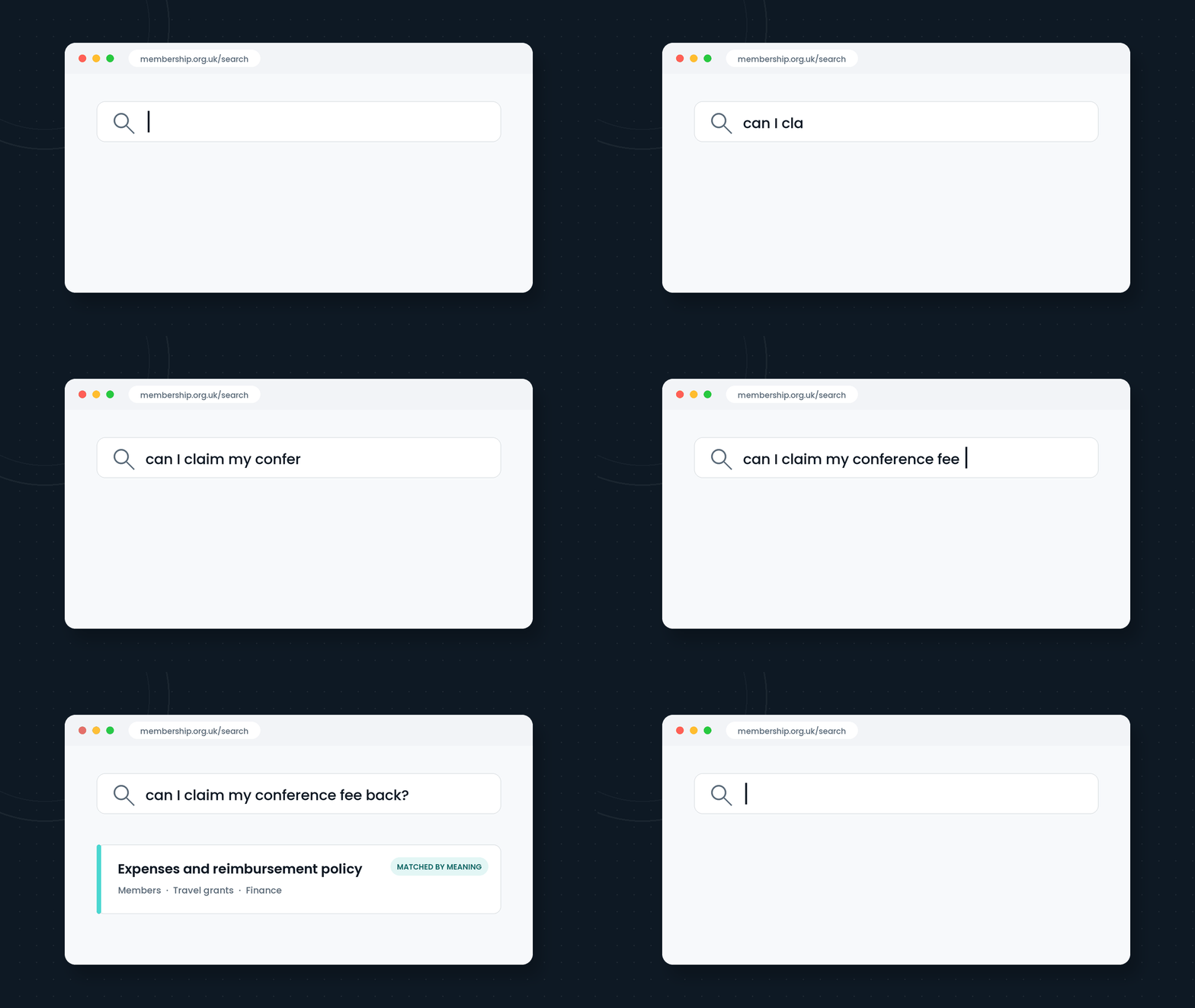
WordPress 7.1 is scheduled for 19 August, timed as usual with WordCamp US. May’s 7.0 release laid the AI foundations — the Abilities API, the AI Client, the provider registry — and we covered what a sensible organisation should do with them. 7.1 is the release where those foundations start doing something you can feel: streaming responses, and embeddings support for semantic search.
That second one deserves far more attention than it’s getting.
Your search box has been quietly failing people
Almost every website search works the same way: it matches the words someone typed against the words you happened to publish. If a member searches for a travel grant and your page calls it a conference bursary, they get nothing. Not because the answer isn’t there — because the words don’t match.
It’s the card catalogue problem. A card catalogue is wonderful if you already know the title. It’s useless if all you can describe is what the book is about. Keyword search has the same limitation, and it fails silently: nobody files a support ticket about a search that returned nothing. They just leave, or email someone, or give up.
If you run a research archive, a knowledge base, or a member area, this is costing you every day — you’ve just never seen the bill.
What 7.1 actually ships
- Embeddings support in the AI Client. Embeddings turn a piece of content into coordinates of meaning, so travel grant and conference bursary sit next to each other even though they share no words. This is the raw material of semantic search — search that matches what people mean, not what they typed.
- Streaming responses. AI-generated output now arrives as it’s produced rather than after an awkward pause. A small thing that makes AI features feel like part of the site rather than bolted on.
- Your provider, your keys. As with 7.0, WordPress doesn’t bundle an AI service. You connect the provider your organisation has chosen and approved — which means governance stays where it belongs: with you.
Be clear about one thing: none of this puts a shiny new search box on your website on the 20th of August. It’s plumbing, and deliberately so. Core provides the capability; themes and plugins will build the experiences on top of it over the coming months. That’s exactly how the block editor matured, and it’s the right way round.
Where meaning-based search earns its keep
Research archives. A decade of papers, project pages and datasets, searched by people who describe what they’re looking for in their own words — not the words the abstract happened to use. Semantic search is the difference between “no results” and the right paper from 2019.
Member knowledge bases. Members ask questions the way they’d ask a colleague: “can I claim back my conference fee?” A keyword engine needs them to guess that the page is called Expenses and reimbursement policy. An embedding doesn’t.
Policy libraries. “Who do I tell about a data breach?” should find the breach-reporting procedure, even though that sentence appears nowhere in it. For any organisation with compliance obligations, that’s not a nicety — it’s the point of publishing the policy at all.
The caveats, honestly
- Queries will leave your server. Embeddings are computed by your chosen AI provider, which means content and search queries are processed off-site. Do the data-protection thinking before switching anything on — the same discipline as any other AI adoption.
- Embeddings cost money. Every piece of content has to be processed, and large archives mean real bills. Budget for it deliberately rather than discovering it on an invoice.
- Good content in, good results out. Semantic search amplifies well-structured content; it cannot rescue pages that say nothing. Clear titles, honest excerpts and sensible headings still matter — arguably more than ever.
- It’s early. 7.1 ships the infrastructure. Expect the plugin ecosystem to take months to build mature experiences on it, and be suspicious of anything that promises otherwise in week one.
Getting ready: five things to do this month
- Look at your search data. Most analytics tools will show you what people searched for and which searches returned nothing. That failed-search list is your evidence — and later, your test cases.
- Plan the update properly. 7.1 is a major release: staging first, backup taken, then production. If your site is on a care plan, this happens without you thinking about it — that’s rather the point of a care plan.
- Decide your AI provider position now. Which provider, what data may be sent, who approves it. Decide it as an organisation before a plugin’s default setting decides it for you.
- Tidy the content that matters. Fix the missing excerpts, the vague titles, the pages that have drifted. Every improvement compounds once meaning-based search arrives.
- Pick one place to pilot. Don’t switch your whole site over. Choose the search that fails people most — the knowledge base, the publications archive — and prove the value there first.
The question worth asking
For twenty years, website search has asked people to guess the right words, and punished them when they guessed wrong. From this month, WordPress can finally meet people where they are — in their own language, with their own questions.
The search box is about to get smarter. Whether your content — and your governance — are ready for it is the part that’s up to you.